Tutorials
Short walkthroughs of the actual product — no signup needed to watch.
Connect eBay to Prelo
Connect your eBay seller account once: what Prelo can and can't do with it, reconnecting every 18 months, and how to disconnect.

Why Prelo's AI Listings Don't Sound Like AI
How Prelo writes eBay descriptions like a reseller would: what the item is, the facts a buyer checks, honest condition, and no hype words.

Price It Right with Comparables
How Prelo finds comparable eBay listings, what the suggested price means, and why asking prices are a guide rather than a promise.
Filling eBay Item Specifics
What eBay item specifics are, how Prelo fills only what it has evidence for, and how to fill the rest on the item or in the editor.

Fix Dark Photos for eBay
Brighten a dim item photo in Prelo for free: Clean up photo, the Adjust dials, and automatic clean-up on upload. Your original is always kept.
Quick Upload: List an eBay Item from Your Phone
Take up to 12 photos of one item on your phone, upload them (even offline), then run the AI when you're ready.

Edit Your eBay Listing with AI: Just Ask
Ask Prelo's AI to change the title, description, item specifics or keywords in plain words, check the preview, then apply.

eBay Barcodes and Catalog Match
Match a new-in-box item to eBay's catalog in Prelo: catalog photo, item specifics and a product link, or type the barcode.

Smart Sort: Turn a Camera Roll into eBay Items
Drop a whole haul's photos into Prelo and Smart Sort groups them into separate items for you to check, fix and create.
Bulk Publish to eBay
Publish up to 100 analysed drafts to eBay in one run with Prelo: the pre-check, the confirmation, checking the first listing before the rest go, and the results.

Organize Your eBay Inventory
How Prelo's My Items is laid out: tabs, filters, bulk actions, merging, organizing photos, and collections.
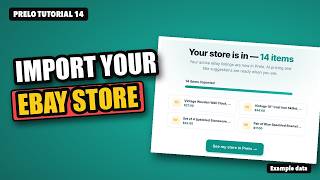
Import Your eBay Store into Prelo
Bring your live eBay listings into Prelo instead of re-listing them: what comes in, what stays on eBay, how imported items are marked, and how Sync keeps things current.

Scout: Price Check in the Aisle
Snap an item in the shop and see roughly what it's listed for on eBay with Prelo's Scout, then narrow it down, save it to Sourcing, or check by barcode or text.
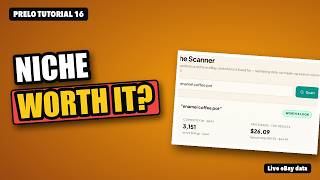
Category Research: Is This Niche Worth It?
Check how crowded a kind of item is on eBay before you buy into it: a verdict from the active-listing count, the asking-price band from up to 100 live listings, and the listings you'd be up against.

Auction or Buy It Now?
How Prelo suggests a listing format for each item, how to change it, and what the auction settings mean.

Your Prelo Home Screen
What each part of the Prelo home screen shows: what's live, Store Score, the Opportunities to-do list, the setup checklist, the sidebar and the phone view.
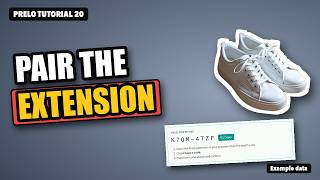
Install and Pair the Chrome Extension
The one-time setup before cross-listing: install the Prelo Chrome extension, pair it with a one-time code, and manage your paired devices.
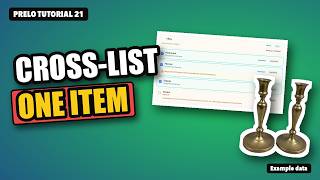
Cross-List One Item
Put one item on Poshmark, Mercari, Depop, Vinted or Facebook Marketplace from Prelo: pick where it fits, preview each draft, submit each form yourself, and track its status.
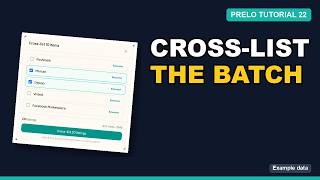
Cross-List a Batch
Select a batch of items, pick the marketplaces, and the extension fills each listing form one tab at a time for you to check and submit.

Forward Your Sale Emails
Forward marketplace sale emails to Prelo so a cross-listed item doesn't sell twice: your private address, Gmail setup, what Prelo does with a sale email, and what it ignores.
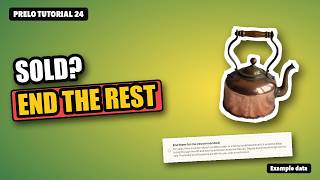
When It Sells, End It Everywhere Else
What Prelo ends for you when an item sells, what it leaves to you, and how to choose between End them for me and Just notify me.
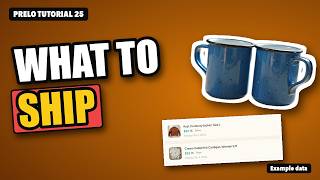
eBay Orders: Ship and Mark Shipped
Where Prelo shows your eBay orders, what the ship-by badges mean, and how to mark an order shipped with its tracking number.

Answering eBay Buyer Messages
Where your eBay buyer messages show up in Prelo, how to read a conversation, and how to reply without leaving the app.
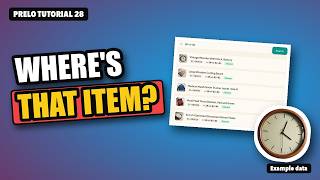
Warehouse: Shelves and SKUs
Give every item an address on your shelves with Prelo's Warehouse: zones, racks and shelves, location codes, intake, lookup by SKU, and the pick queue.
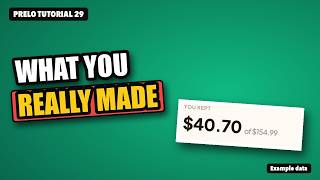
Sales and Profit After Fees
See what your eBay and cross-listed sales actually left you: gross, estimated fees, postage and packaging, cost of goods and other expenses, by marketplace and month.

Did Your New eBay Title Help?
Compare how an eBay listing did before and after a change with Prelo's Compare versions: views, conversion, click-through and sales, and how the winner is picked.

Reading Your eBay Analytics
Where Prelo's eBay numbers come from and how to read them: impressions, views, click-through, conversion and which listings need attention.

Connect Claude or ChatGPT to Prelo
Connect an AI assistant like Claude or ChatGPT to Prelo, approve it once, and have it draft listings from your photos for you to check and publish.

Deal Alerts: Get Flagged When a Listing Is Worth Flipping
Set a standing search with a profit bar. Prelo checks eBay about every 30 minutes (and Facebook Marketplace through the extension) and shows hits with the asking price, comps, estimated fees and estimated profit.
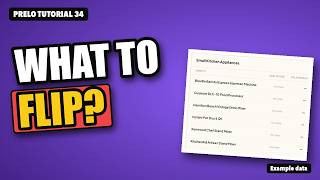
Arbitrage Explorer: Find What to Flip
Pick a category and see specific items resellers commonly flip, with the cheapest live eBay listing for each. Watch a row as a deal alert, or sweep Facebook Marketplace near you through the extension. Pro feature.
Try it on one item
20 free listings on signup. No card.
Start free